
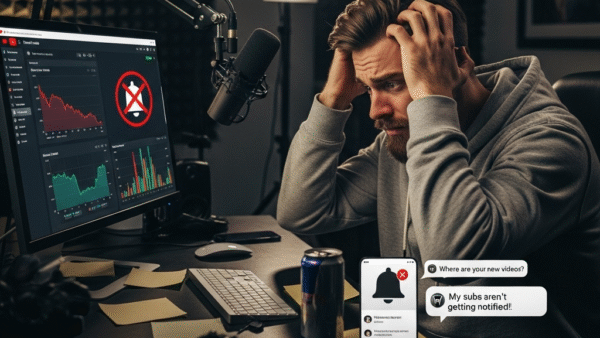
Views Dropping & Subs Not Notified? A YouTuber’s Guide to Understant Glitches & Updates
Hey YouTubers! Feeling the frustration of refreshing your channel only to see your view count stuck or, even worse, dropping? Are your subscriber notifications acting like a moody teenager – showing up whenever they feel like it? You’re not alone. Many creators face these head-scratching moments.
In this guide, we’ll break down the common reasons behind these issues, explore some recent YouTube updates you should know about, and offer some tips to navigate the ever-changing world of YouTube.
The Mystery of the Fluctuating View Count
You’ve poured your heart and soul into your latest video, hit publish, and now you’re glued to the analytics. But why aren’t the views updating instantly? And why did yesterday’s viral hit suddenly lose a chunk of its views? Let’s investigate.
1. The Verification Process: Separating Humans from Bots
When your video starts getting views, YouTube’s systems swing into action to verify that those views are legit. This process helps to weed out “invalid traffic” like views from bots or other artificial means. During this verification period, which can take a short while, your view count might appear to be frozen or not updating in real-time.This is especially true if your video gets a sudden surge in traffic.
Think of it like this: YouTube is the bouncer at the club, making sure every view in your “VIP section” is a real person and not just a cardboard cutout.
2. The 30-Second Rule
For a view to be counted, a viewer needs to watch your video for a certain amount of time. While YouTube doesn’t officially state the exact length, it’s generally understood to be around 30 seconds. If someone clicks on your video and then immediately clicks away, that view likely won’t make the cut during a view audit.
3. Technical Glitches and Server Lags
Sometimes, the simplest answer is the right one: it could just be a temporary technical glitch or a lag in YouTube’s servers. Different servers can sometimes take a moment to sync up, leading to a temporary discrepancy in what you see. Often, a simple page refresh can resolve this.
4. The Algorithm Giveth and the Algorithm Taketh Away
YouTube’s algorithm is constantly being updated to improve the viewer experience. These changes can sometimes lead to fluctuations in your view count as the system readjusts its measurements.
5. Why Did My Views Drop?
Seeing your view count go down can be disheartening. Here are a few common culprits:
- YouTube Audits: YouTube regularly performs audits to remove any views it deems illegitimate.
- Viewer Behavior: If viewers aren’t engaging with your content (low watch time, few likes and comments), it can signal to the algorithm that the video isn’t compelling, which may impact its visibility.
- Inconsistent Posting: Sticking to a regular posting schedule can help keep your audience engaged and the algorithm happy.
- Unoptimized Videos: Poor titles, thumbnails, and descriptions can lead to fewer clicks and lower engagement, which can indirectly affect your view count over time.
The Enigma of the Inconsistent Subscriber Notifications
You’ve worked hard to build your subscriber base, but what’s the point if they’re not being notified about your new videos? Here’s what might be happening:
1. It’s Often on the Viewer’s End
The most common reason for notification issues lies with the viewer’s settings. For a subscriber to receive notifications, they need to:
- Be subscribed to your channel.
- Have notifications enabled for their YouTube account and device.
- Click the bell icon next to the subscribe button and select “All” notifications for your channel.
2. The “3 Notifications” Rule
To avoid overwhelming viewers, YouTube limits the number of notifications a channel can send out. A channel can only send a maximum of three new video notifications within a 24-hour period. If you upload more than three videos in a short time, notifications for the subsequent videos may be held back.
3. Publishing in Bulk
Uploading multiple videos at once can also cause notification systems to pause. If you have several videos ready to go, it’s best to schedule them out rather than publishing them all at the same time.
4. “Made for Kids” Content
If your channel or a specific video is designated as “Made for Kids,” notifications will automatically be disabled for that content. The notification bell will be grayed out for viewers on that content. Keeping Up with YouTube: Recent Updates
The YouTube platform is always evolving. Here are a couple of recent updates that are important for creators to be aware of:
1. Monetization Policy Update (July 2025)
Starting in July 2025, YouTube is updating its monetization policies to better identify and limit “mass-produced or repetitive content.” This is aimed at channels that upload large volumes of low-effort or automated content. For most creators who produce original and authentic content, this change is unlikely to have a major impact. The update is a minor clarification of existing rules.
2. Advanced Mode Refresh (June 2025)
YouTube has refreshed the “Advanced mode” in YouTube Analytics, aiming for a more intuitive layout and more detailed data to help you understand your channel’s performance.
3. The End of the “Trending” Tab (July 2025)
YouTube has phased out the “Trending” tab in favor of more personalized, AI-driven recommendations. This change reflects a broader shift towards helping viewers discover content based on their individual interests and watch history. For creators, this means a greater emphasis on creating content that resonates with a specific niche audience.
What Can You Do?
While you can’t control YouTube’s servers or its algorithm, you can take steps to build a strong and engaged audience:
Focus on Quality and Engagement: Create content that your audience will want to watch and interact with. Pay attention to your analytics to see what’s resonating.
- Educate Your Audience: Gently remind your viewers to hit the bell icon and select “All” notifications.
- Be Consistent: Stick to a regular uploading schedule to keep your audience coming back for more.
- Optimize Your Content: Use compelling titles, thumbnails, and descriptions to attract viewers.
- Stay Informed: Keep an eye on the official YouTube Creator channels for the latest news and updates.
Remember, building a successful YouTube channel is a marathon, not a sprint. By understanding the platform and focusing on creating great content, you’ll be well on your way to steady growth.